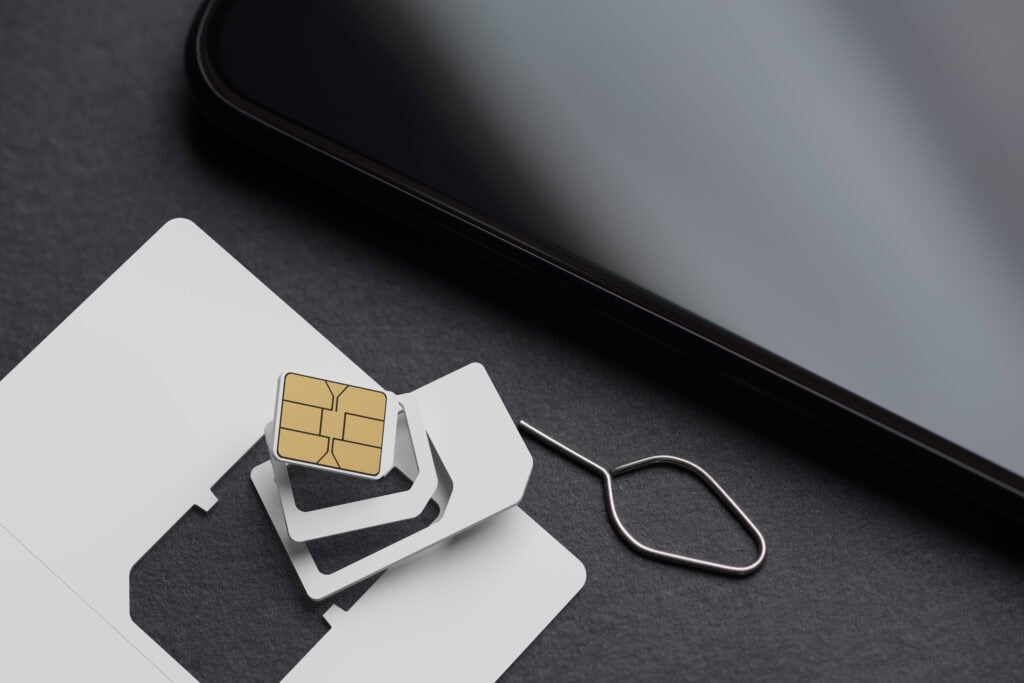
Choosing a Malaysia eSIM or prepaid SIM card is usually straightforward, but the best option depends on your phone, itinerary and need for calls or mobile data. A short city break in Kuala Lumpur has different connectivity requirements from a trip through Borneo, rural areas or smaller islands.
This guide explains the main options without assuming that one provider is best everywhere. Plan availability, network partnerships and coverage can change, so confirm current details with the provider before paying.
Quick answer
For most visitors with a compatible unlocked phone, a travel eSIM is the easiest option because it can often be installed before departure and activated after arrival. It suits travelers who mainly need maps, messaging, transport apps and general internet access.
A local prepaid SIM may offer a better choice of larger data packages and, in some cases, a Malaysian phone number. It is worth considering for longer stays or heavier data use. If your route includes rural Malaysia, Borneo or remote islands, compare current coverage maps rather than choosing only by price.
Buying a SIM card at a Malaysia airport can be convenient when you want help with installation. However, airport counters may have a more limited selection than shops elsewhere, and availability varies by terminal and arrival time.
Malaysia connectivity options compared
| Option | Best for | Main advantages | Points to check |
|---|---|---|---|
| Travel eSIM | Short trips and easy setup | Can often be installed before travel; no need to remove your European SIM | Phone compatibility, network partner, data allowance, validity and hotspot rules |
| Local prepaid eSIM | Longer stays and travelers wanting a local plan | May provide local plan features and a Malaysian number | Visitor eligibility, registration process and device support |
| Local physical SIM | Heavy data use or phones without eSIM | Widely understood setup process and possible access to local packages | Registration requirements, SIM size and keeping your home SIM secure |
| European network roaming | Very short visits or maximum convenience | Keeps your existing number and requires little setup | Malaysia is outside standard EU/EEA roaming arrangements; check charges and data limits |
Who each option suits
Best for a short city break: travel eSIM
A prepaid travel eSIM is a practical choice for Kuala Lumpur, George Town and other urban stops. You can usually scan a QR code or install the provider’s app before leaving Europe, then switch on the plan when you reach Malaysia.
Many travel eSIMs are data-only. Your usual mobile number can remain active on the physical SIM for incoming messages, but your home operator may still charge for calls, data or other roaming activity. Review your dual-SIM settings carefully.
Best for longer trips: local prepaid SIM or eSIM
A local option can make sense when staying for several weeks, working remotely or using your phone as a hotspot. Before choosing, check whether the plan includes a local number, voice calls, tethering and the amount of high-speed data you expect to use.
Local eSIM access and visitor registration procedures may vary between operators and retail channels. Check the operator’s current instructions and bring your passport in case identification is required.
Best for remote routes: choose by coverage
The best SIM in Malaysia is not necessarily the plan with the largest advertised data allowance. Coverage matters more when visiting national parks, inland areas, mountain regions, Borneo or smaller islands.
Look at the current coverage map for the specific operator or partner network used by the eSIM. Accommodation providers and local tour operators can also offer useful recent insight, although reception can vary within a small area.
Best for keeping your usual number: dual-SIM setup
Travelers who need bank verification texts or messages sent to a European number can keep their home SIM enabled alongside a Malaysia eSIM. Set the Malaysia plan as the mobile-data line and disable data switching if you want to reduce the risk of accidental roaming.
Receiving texts abroad may be treated differently from sending texts, answering calls or using voicemail. Confirm the rules with your European operator before departure.
How to choose a Malaysia eSIM
Check the underlying network
An international eSIM normally connects through a local partner network. The eSIM brand and the network shown on your phone may therefore be different. Check which Malaysian network or networks the product uses and whether network switching is supported.
Compare validity, not just data volume
A large allowance is not useful if it expires before the end of your trip. Confirm when validity begins: some plans start when installed, while others start only when they first connect in Malaysia. The provider’s current terms should explain this.
Look for hotspot support
If you plan to share data with a laptop or another traveler, confirm that tethering is permitted. Some plans support it normally, while others restrict it or apply separate limits.
Understand unlimited-data wording
Plans described as unlimited may reduce speeds after a certain level of use or manage traffic during busy periods. Read the fair-use policy and check whether the plan states how much high-speed data is included.
Check whether you need calls and texts
Many travel eSIMs provide internet access without a Malaysian phone number. Messaging and internet-calling apps can still work over data, but businesses, drivers or accommodation hosts may sometimes prefer a conventional call. Choose a local voice-enabled plan if that is important to you.
Buying a SIM card at a Malaysia airport
Mobile counters are often available at larger Malaysian airports, making an airport SIM convenient after a long flight. Staff may be able to register the SIM, insert it and confirm that data is working before you leave the terminal.
The selection at an airport can differ from what is sold online or in city shops. Before accepting a plan, ask which network it uses, how long it remains valid, whether hotspot use is allowed and whether the quoted data is all high-speed data.
If you arrive late, do not assume every counter will be open. An eSIM installed before departure can provide a useful fallback for messaging your accommodation or using transport apps. Check current airport and operator information before travel rather than relying on a particular counter.
Coverage in Peninsular Malaysia and Borneo
Mobile service is typically easiest in major cities, established resort areas and along busy transport corridors. Signal quality can be less predictable in forested regions, mountainous terrain, offshore areas and on remote stretches of road.
Coverage in Malaysian Borneo deserves particular attention if you are traveling beyond the main cities. A network that performs well in one destination may be weaker in another, and no mobile plan should be treated as a guarantee of reception in remote terrain.
Download offline maps, booking confirmations and essential contact details before leaving a well-connected area. If reliable internet is important for work, ask your accommodation about both mobile reception and Wi-Fi rather than assuming either will be sufficient.
How to install and activate an eSIM
- Confirm that your phone supports eSIM and is not locked to your European operator.
- Buy the plan through the provider’s official website or app and save the installation instructions.
- Install the eSIM while connected to reliable Wi-Fi, preferably before departure.
- Keep your home SIM as the default voice line if you still need your usual number.
- After arrival, select the eSIM for mobile data and follow the provider’s instructions on data roaming.
- Turn off mobile-data switching if you do not want the phone to fall back to your European SIM.
- Test maps, browsing and messaging before leaving the airport or your accommodation.
Do not delete an eSIM merely because it fails to connect immediately. Some plans cannot be reinstalled after deletion. Restart the phone, check the selected data line and review the access point settings supplied by the provider.
Practical tips for European travelers
- Malaysia is outside the usual EU/EEA roaming area, so do not assume your domestic allowance applies.
- Check that your handset is unlocked and supports the eSIM technology and network bands required by your chosen service.
- Install the provider’s app and take screenshots of setup instructions before flying.
- Keep the eSIM QR code private because it may be usable only once.
- Disable automatic app updates, cloud photo uploads and video autoplay if your allowance is limited.
- Download offline maps and language resources as a backup.
- Keep your physical European SIM somewhere secure if you replace it with a local SIM.
- Check whether your banking apps require access to your usual mobile number.
Connectivity is only one part of trip preparation. For related planning considerations, read the Malaysia Travel Insurance Guide: Islands, Scooters and Medical Coverage.
Common eSIM problems and fixes
The eSIM is installed but has no data
Check that the correct line is selected for mobile data. Some travel eSIMs also require data roaming to be enabled because they connect through a partner network. Follow the provider’s instructions rather than applying the setting automatically to every SIM.
The phone connects at a slow speed
Move to a different location, restart the device and try automatic network selection. Slow service can also result from local congestion, weak coverage or a fair-use threshold in the plan.
The phone shows two active SIMs
This is normal on a dual-SIM device. Label the lines clearly, choose the Malaysia eSIM for data and review which line is used for calls and messages. Disable your home line entirely if you do not need it and want to avoid unintended roaming use.
The QR code does not work
Confirm that the phone has internet access and that the code has not already been used. If installation still fails, contact the provider before deleting any partially installed profile.
FAQ
Is an eSIM better than a SIM card in Malaysia?
An eSIM is usually more convenient for a short trip because it can often be prepared in advance. A physical local SIM may suit travelers who need a Malaysian number, prefer in-person setup or have a phone without eSIM support. Coverage depends on the underlying network rather than the SIM format.
Can I buy a SIM card at a Malaysia airport?
SIM counters are often found at larger airports, but operators, packages and operating arrangements can change. Check current airport information if you depend on buying one immediately after arrival. Have an alternative such as airport Wi-Fi or a pre-installed eSIM.
Will my European phone work with a Malaysia eSIM?
It may work if it supports eSIM, is network-unlocked and is compatible with the service used by the provider. Check the exact device model in your phone settings and compare it with the provider’s compatibility list before purchase.
How much mobile data do I need in Malaysia?
Light use of maps, messaging and occasional browsing generally requires less data than video, cloud backups, social media uploads or laptop tethering. Review your phone’s recent data use and choose a plan with some flexibility. Offline maps can reduce consumption.
Final recommendation
For a typical short visit, choose a Malaysia eSIM that clearly identifies its partner network, validity period, high-speed data allowance and hotspot policy. For a longer trip or an itinerary through Borneo and remote areas, compare current local network coverage and consider a prepaid local SIM. Whatever you choose, install or test it while reliable Wi-Fi and support are still available.