Introduction: Staying Connected in Bali
This guide is written for European travellers who want reliable, stress-free mobile connectivity while exploring Bali. It focuses on how to use a Bali eSIM or local SIM card to stay online for navigation, messaging, and remote work without disrupting your trip.
Bali sits in the Indonesian archipelago, a tropical island where traffic, dense vegetation, and varied terrain can all affect mobile coverage, making thoughtful connectivity planning especially valuable.
Understanding how eSIM and SIM options work across Bali’s different areas—from the busy south to quieter inland regions—will help you balance convenience, coverage, and digital comfort throughout your stay.
eSIM in Bali: How It Works and Who It Suits
For many European visitors, a Bali eSIM is the most seamless way to stay connected from the moment the aircraft door opens. An eSIM is a digital SIM profile that you install on a compatible smartphone, allowing you to activate local data without handling a plastic card or visiting a shop.
Most recent iPhone, Google Pixel, and higher-end Samsung models support eSIM, and you can typically keep your European number active for calls and SMS while using local data on the eSIM. This dual setup is useful for travellers who must receive banking codes, verification texts, or calls from home while relying on local data for everyday use in Bali.
Once installed, a Bali eSIM profile can usually be activated with a QR code and a few menu taps in your phone’s settings. This means you can land at Denpasar (Ngurah Rai International Airport) with connectivity already in place for ride-hailing apps, maps, and messaging, avoiding queues at kiosks or the need to find Wi‑Fi.
Local SIM Cards in Bali: Airport vs In-Town Setup
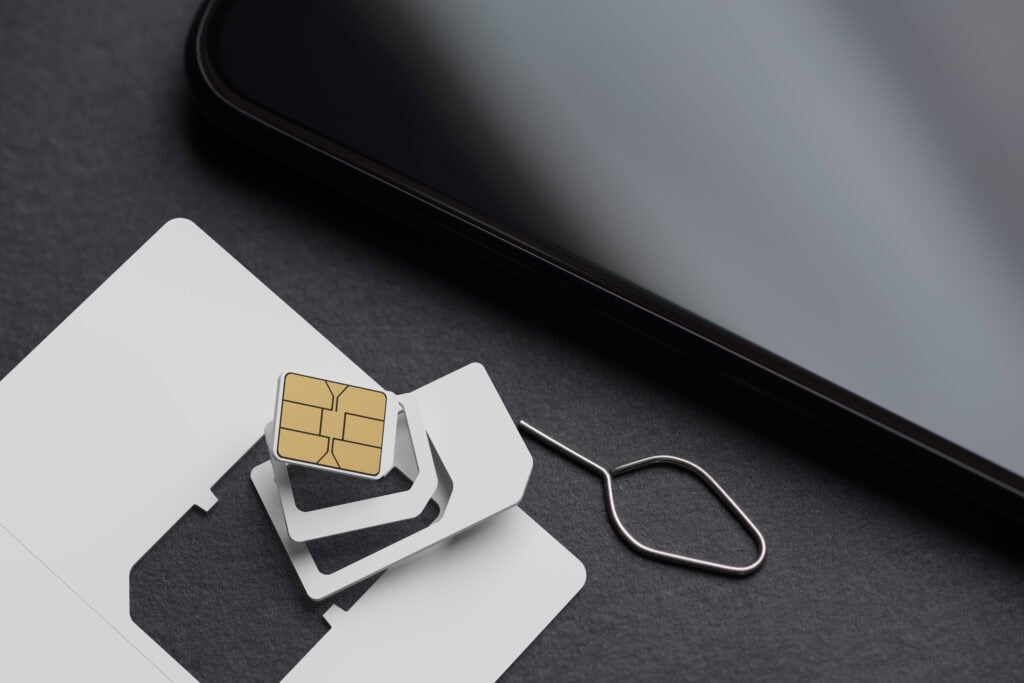
If your phone does not support eSIM, or you prefer a physical card, buying a local SIM in Bali remains straightforward. The main decision is whether to obtain a SIM card at Bali airport or in town after you arrive at your accommodation.
The arrivals hall at Ngurah Rai International Airport has multiple counters selling Indonesian SIM cards tailored to visitors, with staff used to setting up phones from all over Europe. The experience is convenient after a long-haul flight, and you can leave the airport with mobile data already working. However, airport setups can feel rushed, and data packages may be less flexible than what is available in town.
In beach areas such as Kuta, Legian, Seminyak, and Canggu, as well as Ubud and Sanur, you’ll find numerous small phone shops and branded outlets. These often offer a wider range of data packages and can be more relaxed environments for asking questions about coverage in the specific parts of Bali you plan to visit. The trade-off is navigating from the airport to your first base using hotel Wi‑Fi, offline maps, or roaming from your European provider until you buy the SIM.
Choosing Between Bali eSIM and Physical SIM: Pros, Cons and Use Cases
Deciding between an eSIM Bali option and a traditional SIM card is largely about balancing convenience and flexibility against how you personally travel.
- Convenience of arrival: A pre-installed Bali eSIM offers immediate connectivity as you land, helpful if you prefer app-based transport, need to coordinate with a driver, or want instant access to maps in the airport car park and surrounding roads.
- Physical handling and language: With an eSIM, there is no need to exchange plastic cards or keep track of a tiny European SIM during your stay. For travellers who prefer to avoid potential language barriers in small phone shops, the digital route is simpler.
- Device compatibility: Older or budget phones may not support eSIM. In that case, physical SIM is your main option, though many travellers still use their European SIM for calls and buy a local SIM in a secondary device or pocket Wi‑Fi.
- Flexibility across Indonesia: If you plan to travel beyond Bali—to Java, Lombok, or the Komodo area—a physical SIM from a major Indonesian operator gives you broad coverage across the country. Some eSIMs also support wider Indonesia coverage; checking this before purchase is important if your trip is multi-destination.
- Number usage: A physical SIM gives you an Indonesian phone number. This can be useful for local calls or services that require a domestic number, while many eSIM data profiles are designed primarily for data and may not emphasise traditional voice calls.
Coverage Across Bali: Where Connectivity Is Strongest and Weakest
Understanding Bali’s geography helps explain why your bali esim or physical SIM might perform differently from one region to another. The southern coastal belt—around Kuta, Legian, Seminyak, Canggu, Jimbaran, Nusa Dua, and Sanur—has the densest network of towers, reflecting its concentration of hotels, villas, and cafes. Here, 4G (and in some places 5G) is common, making video calls and heavy app use relatively smooth.
Inland, Ubud and its immediate surroundings are also well-covered, particularly in the town centre and along popular roads leading towards Tegallalang and Mas. However, once you move into more rural rice terrace areas or forested valleys, signal strength can fluctuate, especially indoors or in properties set into steep slopes.
Northern and eastern Bali, including areas such as Amed, Tulamben, Sidemen, and around Mount Batur, tend to have patchier coverage. You will usually retain enough signal for messaging and navigation, but speeds may drop, and some networks perform better than others. Coastal towns in the far north, like Lovina, also experience variable performance, with coverage often stronger in town centres than in the surrounding countryside.
If connectivity is essential—for example, for remote work, regular video calls, or cloud-based tools—it can be worth checking with your accommodation about their usual mobile performance and Wi‑Fi stability, particularly outside the southern corridor.
Data Use, Hotspots and Working Remotely in Bali
For many visitors, Bali combines leisure with remote work, making dependable data an important part of planning. Whether you use an esim bali data package or a local SIM, there are a few points to consider if you intend to work from the island.
First, estimate your typical daily usage: navigation, social media, messaging, and casual browsing may be light, but video calls, large file uploads, and streaming quickly increase data consumption. Many travellers choose larger data bundles than they would at home, simply for peace of mind in areas where Wi‑Fi is less reliable.
Using your phone as a hotspot for a laptop or tablet is common in Bali’s cafes, villas, and co-working spaces. In the south and in Ubud, this is generally smooth if your signal is strong. In more rural or hilly locations, tethering performance can vary during the day as networks become busier or as weather conditions change.
For those planning extended stays, creating a hybrid setup can be helpful: rely on your Bali eSIM or local SIM for flexibility, but orient your heaviest work sessions around co-working spaces or hotels known for strong, stable connections. This layered approach reduces the risk of a single network issue disrupting your day.
Practical Setup: Activating, Configuring and Managing Your Bali eSIM
Once you have chosen your connectivity route, the practical setup is usually straightforward but worth approaching with a little care so that your bali esim or SIM works as you expect.
- Before departure: Ensure your phone is unlocked (not restricted to a single European provider). Check eSIM compatibility in your device settings and update your operating system to the latest version for smoother activation.
- Installing the eSIM profile: This often involves scanning a QR code and following on-screen prompts. Many travellers prefer to complete this step at home on stable Wi‑Fi; activation can then be scheduled for your arrival date or triggered when you land.
- Setting data preferences: In mobile data settings, choose which SIM/eSIM should handle data and which should handle calls and SMS. A common arrangement for European travellers is to keep their home SIM active for calls and texts while routing all data through the Bali eSIM.
- APN and network selection: On most modern phones, network and APN settings configure automatically. If you experience slow speeds or no data, switching from automatic to manual network selection and choosing a different partner network can sometimes resolve the issue.
- Managing consumption: Use your phone’s built-in data usage tools to track how much you are using. This is particularly useful in Bali’s more rural areas, where you may rely more heavily on mobile data if Wi‑Fi is weak.
SIM Card Etiquette, Local Norms and Security Considerations
Staying connected in Bali is not only a technical question but also a matter of local norms and digital safety. Indonesian authorities require SIM registrations with identification, so be prepared to show your passport when buying a SIM in shops that handle registration formally.
Public Wi‑Fi is common in cafes, co-working spaces, and many hotels, but mobile data often provides a more consistent and private connection. If you rely on banking or sensitive work platforms, combining a secure connection over your Bali eSIM or SIM with standard best practices—such as using strong passwords and two-factor authentication—adds an extra layer of reassurance.
In social settings, mobile use in Bali is relaxed and widespread, though in temples and during ceremonies it is respectful to keep phones silent and avoid taking calls. Around shared villa pools or small guesthouses, using headphones for calls and media is also appreciated, particularly in quieter areas like the countryside around Ubud or the east coast.
Practical Travel Tips for Connectivity in Bali
- Confirm that your phone is unlocked by testing a different SIM before leaving Europe, especially if you obtained your handset through a mobile contract.
- Download offline maps of Bali—including Denpasar, the southern beaches, Ubud, and any planned side trips—so navigation still works if coverage briefly drops.
- Take a screenshot of your eSIM QR code or access instructions and store them securely in case you need to reinstall the profile while travelling.
- When arriving late at night, consider having at least temporary coverage arranged in advance, as some smaller airport counters or city shops operate limited hours.
- In areas with narrow, hilly roads—such as around Ubud’s river valleys or Mount Batur—expect occasional signal drops and avoid planning time-critical calls while on the move.
- Use your accommodation’s Wi‑Fi for large software updates and backups, keeping your Bali eSIM or SIM data for navigation and everyday tasks.
- If sharing data via hotspot with companions, agree on basic guidelines to prevent one person’s streaming or uploads from consuming the entire allowance.
- Carry a small pouch or card holder to store your European SIM safely if you swap it out; losing it can complicate access to banking apps and verification codes.
FAQs: Bali eSIM and SIM Cards
Is a Bali eSIM better than buying a SIM card at Bali airport?
Neither option is universally better; a Bali eSIM offers the comfort of arriving with data already working, while a SIM card at Bali airport gives you a local number and support from staff who can physically configure your phone. Your choice depends on device compatibility and whether you prefer digital convenience or in-person assistance.
Will my European phone work with an esim bali option?
Most recent smartphones from major European brands support eSIM, but not all models do. Checking your specific device model on the manufacturer’s website and ensuring it is unlocked is essential before relying on an esim bali solution for your trip.
How is coverage in popular tourist areas like Ubud and the southern beaches?
Coverage in southern beach areas such as Kuta, Seminyak, Canggu, and Nusa Dua is generally strong, supporting smooth navigation and streaming. Ubud town and its main roads also enjoy good service, though performance can become more variable in outlying villages and deeply rural surroundings.
Can I use my Bali eSIM to tether my laptop for remote work?
In most cases, yes. Many travellers use their Bali eSIM or SIM card as a hotspot in co-working spaces, villas, and cafes, especially in the south and in central Ubud. For sustained, bandwidth-heavy work, combining mobile data with reliable local Wi‑Fi offers greater stability.
What happens to my European number if I use a Bali eSIM?
On dual-SIM capable phones, you can usually keep your European SIM active for calls and SMS while using the Bali eSIM for data. This setup allows you to receive important messages from banks or contacts at home without relying on roaming for everyday internet use.
Conclusion: Weighing Convenience, Coverage and Flexibility
Choosing between a Bali eSIM and a local SIM card is ultimately about how you prefer to travel. A pre-installed eSIM offers a smooth, modern experience with immediate data on landing, while a physical SIM provides a tangible, locally rooted option with a domestic number. Across Bali’s varied landscapes and atmospheres, combining an understanding of coverage patterns with your own digital habits will help you stay connected in a way that supports, rather than defines, your time on the island.
Recommended next:
- Where to Stay in Bali for First-Time Visitors
- Bali Itinerary 7 Days: Ubud + Beaches with Smooth Transfers
- Bali Itinerary 10 Days: Add Nusa Islands and Slow-Luxury Days
- Bali in 5 Days: Best Highlights Without Feeling Rushed
- Best Time to Visit Bali: Month-by-Month Weather and Crowd Reality
- Bali Travel Costs: Daily Budget for Comfortable (Not Backpacker) Trips
- More in Bali →